

Plan Before You Deploy: Meet the New Neat Workspace Designer
Gerard Bao, Feb 10, 2026
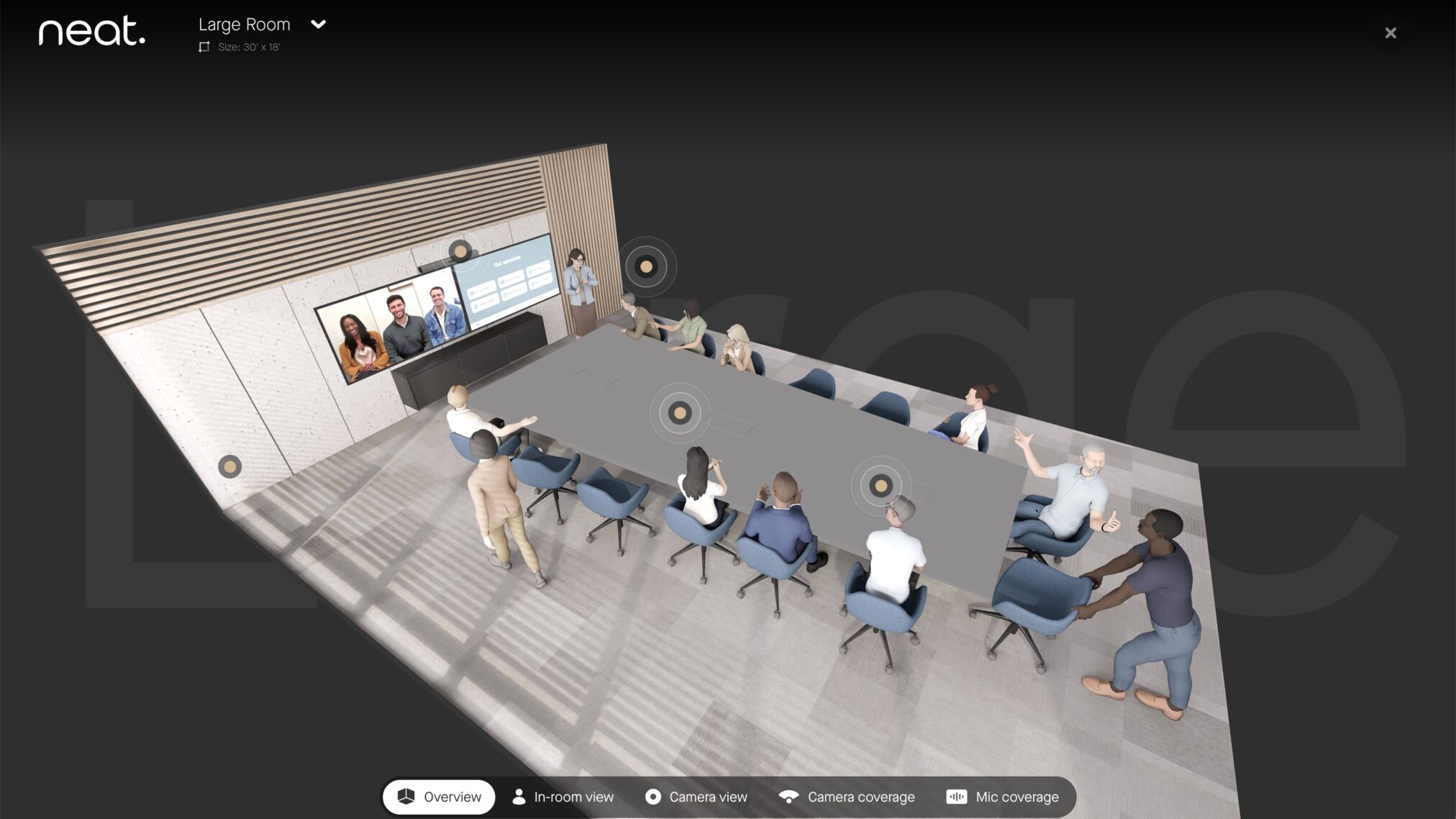
Neat Workspace Designer is an easy-to-use configurator that helps you plan and visualize Neat deployments across room sizes. Compare devices, configure companion options, and preview camera perspectives, audio and video coverage, and setup details.
For a long time, people have been asking us for better ways to plan and visualize their meeting spaces.
A simple way to see how Neat devices will actually look and work before deployment.
Not in a spec sheet.
Not in a flat diagram.
But in the real world—in real spaces, with real perspective.
So… drum roll, please…
Introducing Neat Workspace Designer—a brand-new interactive configurator that helps you visualize, plan, and deploy the right Neat setup for any room with confidence.
Designing the right meeting space just got a whole lot easier
Choosing the right video collaboration setup shouldn’t feel like guesswork.
Neat Workspace Designer is built to be an easy-to-use, self-service tool that helps you understand:
- Which Neat devices fit best in your workspace
- What the meeting experience will look like inside the room
- What remote participants will see
- How to plan everything from placement to wiring
Whether you’re an IT professional, reseller, or customer—Neat Workspace Designer gives you clarity in minutes.
Step inside your room before you build it
With Neat Workspace Designer, planning starts with one simple choice:
Select your room size
Pick from six room types, including:
- Personal desk
- Focus room
- Huddle space
- Small meeting room
- Medium meeting room
- Large conference room
Once selected, your room becomes a fully interactive 3D space—rotatable, explorable, and designed to feel real.
Choose your Neat device and preview it in your space
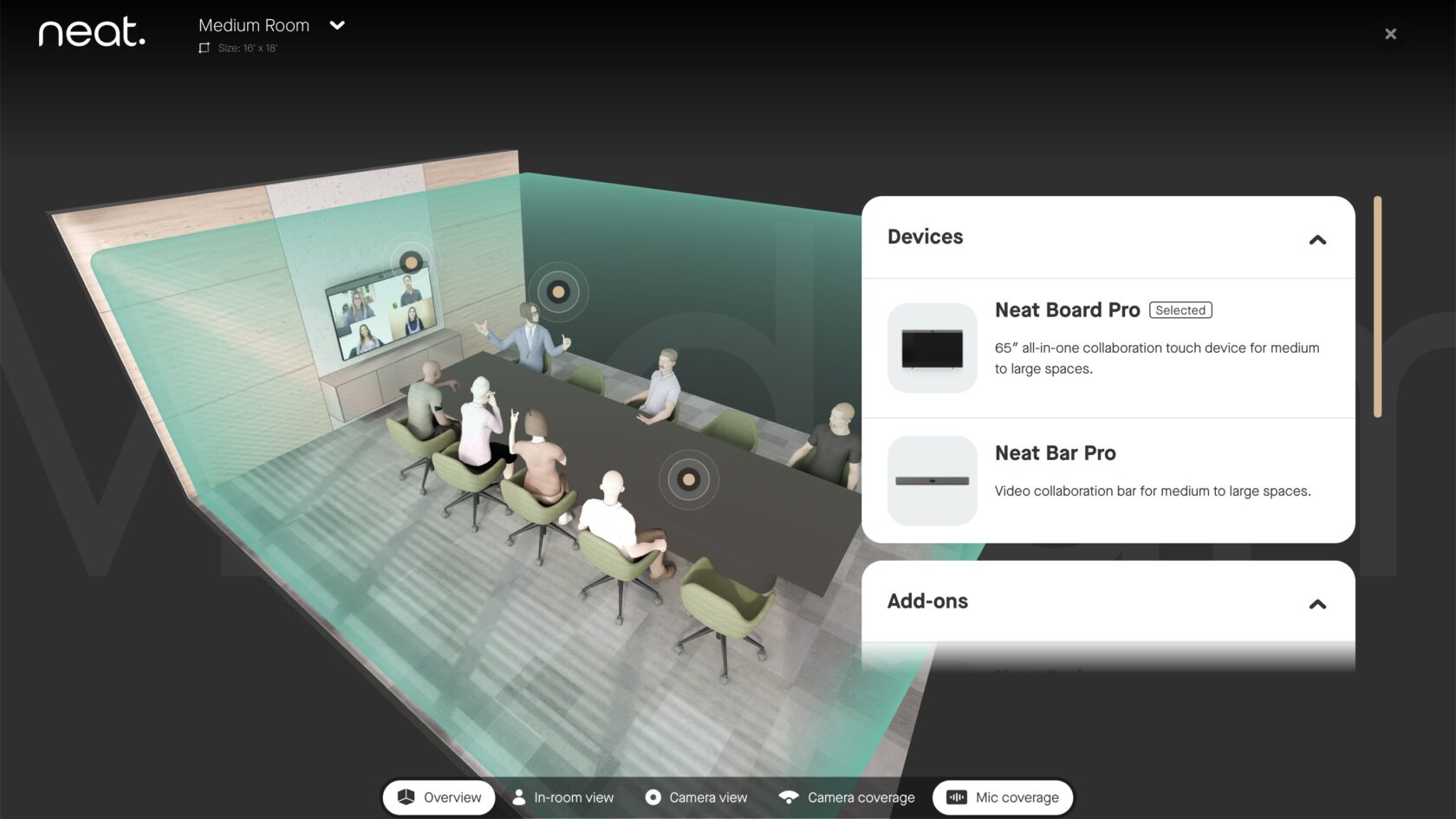
Next, select the Neat device you want to deploy from our product portfolio, and it’ll appear naturally within the room.
Neat Workspace Designer even reflects real-world placement guidance—like mounting Neat Bar above or below displays, depending on room size.
Experience the meeting from every perspective
This is where Neat Workspace Designer truly shines.
Once you select a device, you can explore immersive room experiences, including:
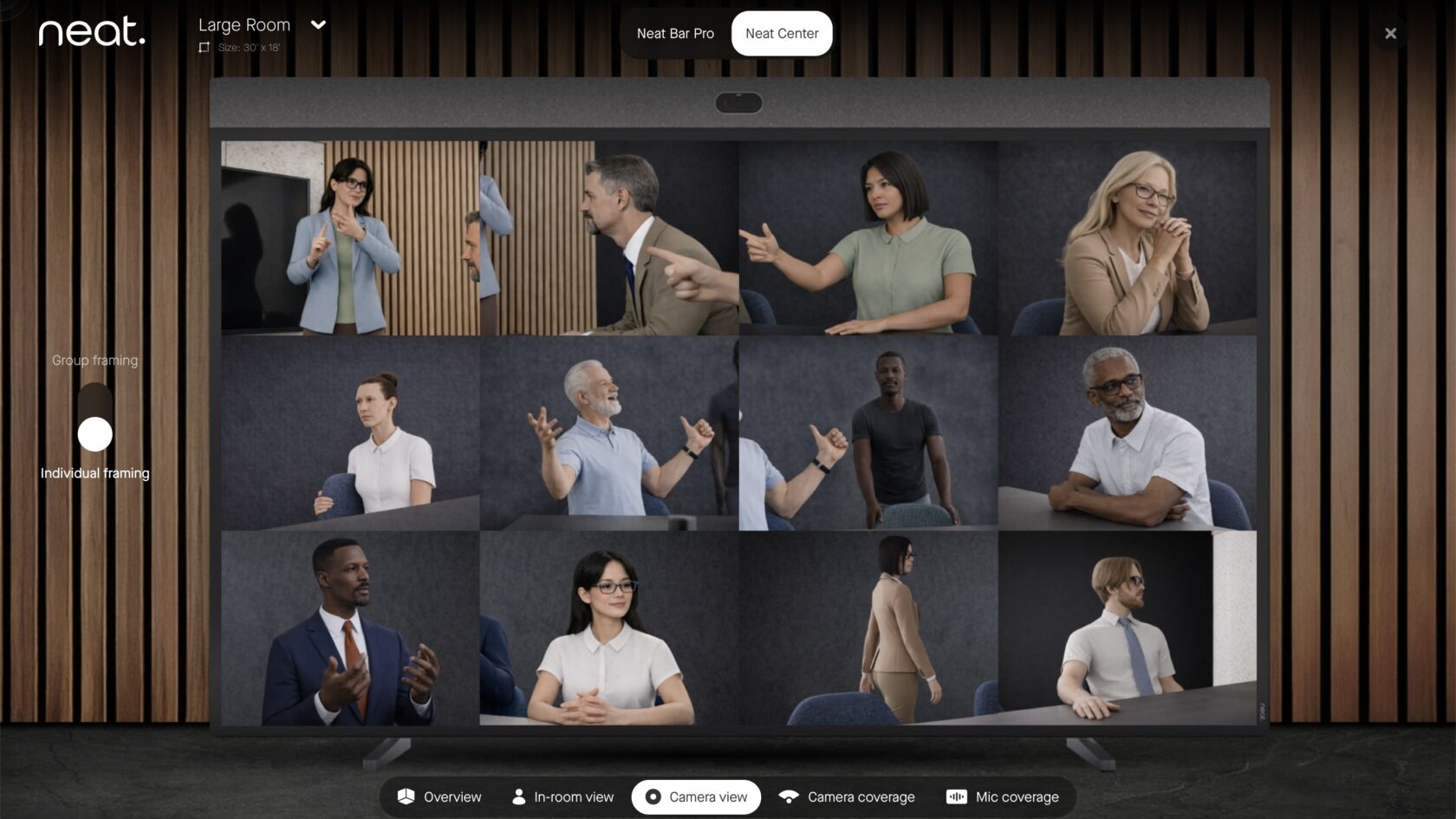
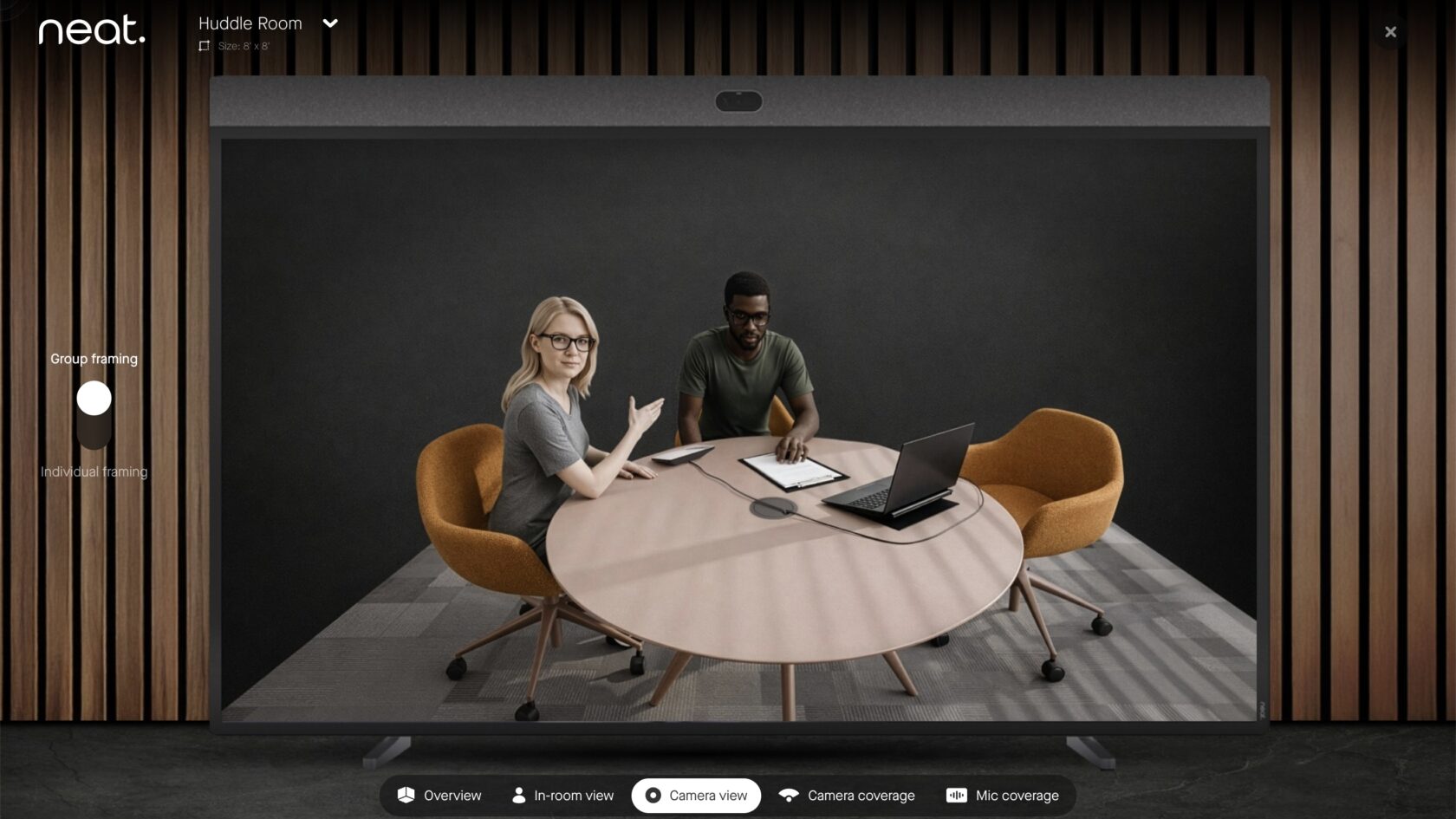
Camera views from the front of the room
See exactly what the main Neat device captures, with options like:
- Wide room view
- Group framing
- Individual framing with Neat Symmetry for complete meeting equity
In-room perspective hotspots
Step into the space, browse around and view the setup from different angles.
Remote participant view
Add a Neat Center, and instantly understand what it’s like for people joining from afar.
Because meeting equity isn’t just a feature—nowadays, it’s the expectation.
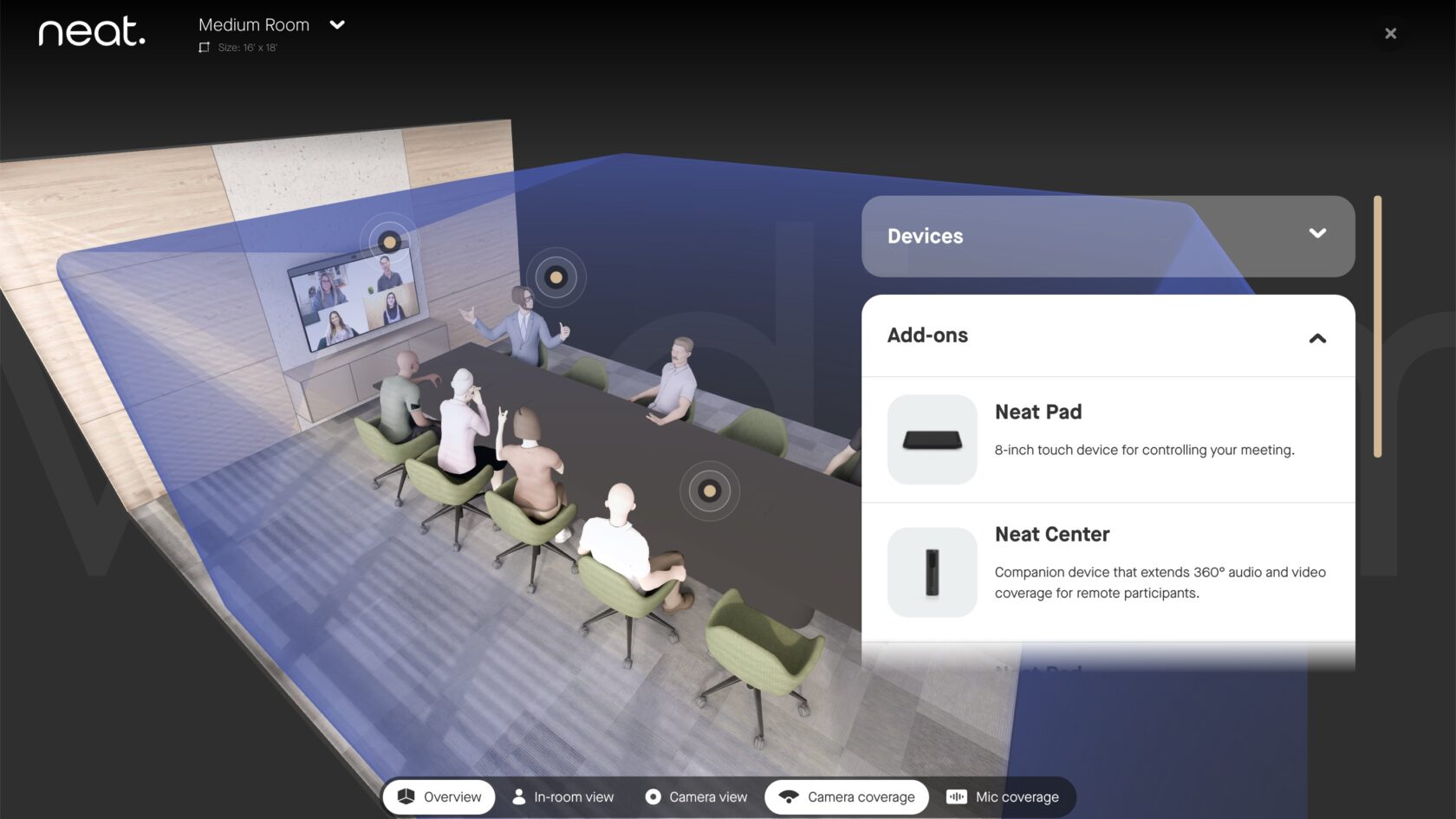
Visualize audio and video coverage across your space
Neat Workspace Designer helps you go beyond aesthetics.
You can overlay key technical layers such as:
- Audio coverage
- Video coverage
- Top-down room layouts
So you know before installation:
Everyone will be seen. Everyone will be heard. It will feel natural.
Build your complete setup with companion devices and add-ons
Need more than a single device? Neat Workspace Designer makes it easy to expand.
Add companion devices like:
- Neat Pad for scheduling outside the room
- Neat Pad for room control
- Neat Center for enhanced equity
- Neat Board 50 or Board Pro as companion displays
Mounting and accessory options will be supported as the configurator continues to evolve, from adaptive mounts to height-adjustable stands.
Coming next: wiring, quotes, checkout, and more
Neat Workspace Designer is just getting started.
In upcoming phases, you’ll be able to:
- View wiring diagrams
- Export a complete room setup summary into a PDF
- Share configurations via email
From planning… to purchasing… to deployment—all in one seamless experience
The future of room planning is here
We created Neat Workspace Designer to answer a simple question:
“What will this look like in my room?”
Now, you don’t have to imagine. You can explore it. Rotate it. Experience it. Configure it. Share it. And most importantly—deploy Neat solutions with total confidence.
You asked. We delivered.
Welcome to Neat Workspace Designer. Start designing your perfect meeting space today.
Want to see our devices firsthand?
Experience Neat in action during one of our live product tours, or book a one-on-one demo with a Neat specialist for a personalized deep dive.