

13 Small Conference Room Ideas for Better Meetings in 2026
Hayley Spooner, Jun 22, 2026
Key takeaways
- Prioritize flexibility with modular furniture and adaptable layouts.
- Design every room with hybrid meetings in mind.
- Choose integrated technology that reduces clutter and simplifies setup.
- Use lighting, color, and acoustics strategically to improve comfort and engagement.
- Keep décor purposeful and minimal.
- Invest in room scheduling tools to improve space utilization.
- Select meeting solutions that can evolve alongside workplace technology trends.
Small conference rooms have become some of the most valuable spaces in today’s workplace. Recent findings from Gensler’s Global Workplace Survey highlight the growing importance of high-performing collaboration spaces as organizations rethink how offices support both focused work and team interaction. As organizations continue to embrace hybrid work, flexible office layouts, and collaboration tools powered by Artificial Intelligence (AI), these compact meeting spaces are expected to support everything from team check-ins and client presentations to video conferences and focused project work.
Designing an effective small conference room isn’t simply about fitting furniture into a limited footprint. The most successful spaces balance comfort, technology, acoustics, and aesthetics to create an environment where people can collaborate naturally, whether they’re sitting in the room or joining remotely.
This guide explores practical small conference room ideas that can help you maximize every square foot while creating a meeting space that’s ready for the way people work in 2026 and beyond.
What is the best setup for a small conference room?
The ideal small conference room combines flexible furniture, high-quality video conferencing technology, effective acoustics, and intuitive collaboration tools.
For most organizations, a room designed for four to eight people offers the greatest versatility. The goal is to create a space that supports both in-person collaboration and remote participation without overwhelming the room with unnecessary furniture or technology.
Rather than focusing solely on aesthetics, businesses should prioritize usability. Employees should be able to walk into the room, start a meeting instantly, share content wirelessly, and collaborate effectively without requiring technical assistance. In 2026, the best meeting spaces are those that remove friction and allow people to focus on conversations, decisions, and collaboration.
Layout and furniture ideas for small conference rooms
The layout of a small conference room has a significant impact on how the space feels and functions. In compact environments, every design choice affects movement, collaboration, and comfort.
While traditional conference tables remain popular, many organizations are moving toward more flexible layouts that support a wider range of activities. A room that hosts a client presentation in the morning may need to accommodate a brainstorming session or hybrid workshop later in the day. For this reason, adaptable furniture often delivers better long-term value than fixed layouts.
As a general guideline, aim to leave approximately three to four feet of clearance around tables and seating areas whenever possible. This helps prevent the room from feeling cramped and allows participants to move comfortably throughout the space.
Furniture options worth considering include:
- Modular seating systems
- Mobile or folding tables
- Lightweight chairs that can be reconfigured quickly
- Standing collaboration stations
- Multi-purpose furniture that supports different meeting formats
Many organizations are also introducing lounge-style seating in smaller meeting spaces. Softer seating arrangements can create a more relaxed atmosphere and make compact rooms feel more inviting, particularly when used for informal collaboration or one-to-one meetings.
| Furniture type | Best for |
| Traditional conference table | Formal meetings |
| Modular furniture | Flexible collaboration |
| Lounge seating | Informal discussions |
| Standing workstations | Quick meetings and brainstorming |
| Folding furniture | Multi-purpose spaces |
Technology considerations for modern hybrid meetings
Technology has become one of the defining features of successful conference room design.
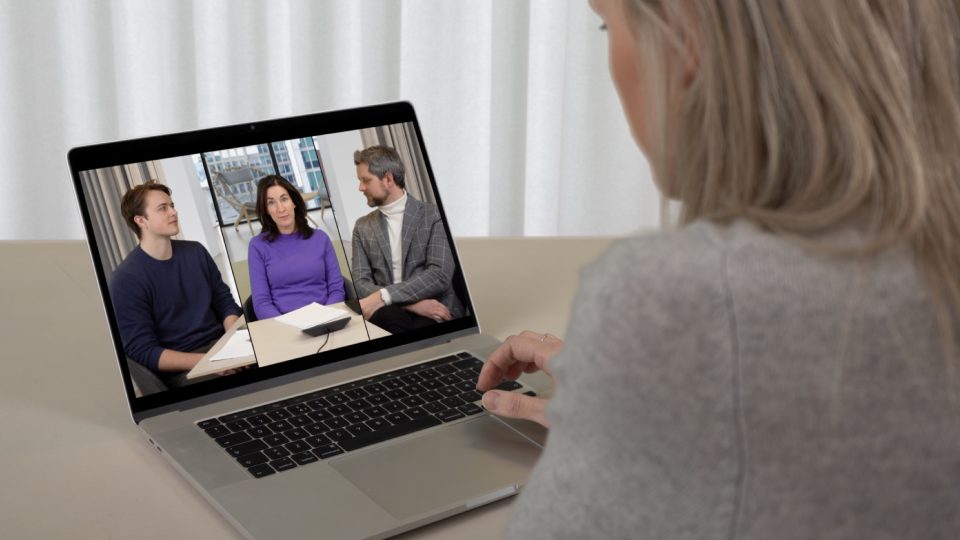
In 2026, every meeting space should be designed with hybrid collaboration as a priority. Research from Microsoft’s Work Trend Index continues to show that employees expect flexible ways of working and seamless collaboration regardless of location. A well-designed small conference room should allow remote participants to see, hear, and contribute as naturally as those physically present in the room.
The most effective approach is often simplicity. Rather than filling the room with multiple devices and accessories, organizations are increasingly choosing integrated meeting solutions that reduce complexity while improving reliability.
Key technologies to consider include:
- Wireless screen sharing
- Video conferencing systems
- Interactive collaboration displays
- AI-powered meeting assistance
- Room scheduling displays
- Integrated audio and video solutions
AI capabilities are becoming particularly important. Features such as intelligent framing, automatic transcription, meeting summaries, and speaker tracking can help improve engagement while reducing administrative work after meetings. As these capabilities become standard across leading collaboration platforms, meeting spaces should be designed to support them from the outset.
Wireless technologies also remain a priority. Eliminating cables and adapters creates a cleaner appearance, reduces setup time, and helps meetings start on schedule.
Creating a professional and clutter-free environment
Small rooms can quickly feel overcrowded when technology, furniture, and accessories compete for limited space.
One of the most effective design strategies is reducing visual clutter wherever possible. Wall-mounted displays, integrated meeting systems, concealed cable management, and wireless peripherals can dramatically improve the overall appearance of a room while preserving valuable floor space.
Organizations should also think carefully about what appears on camera during video meetings. A clean, professional environment helps create a stronger impression for clients, partners, and remote colleagues. This has become increasingly important as video meetings continue to play a central role in customer engagement and distributed teamwork.
The best conference rooms often follow a simple principle: include only what serves a purpose.
Lighting and color strategies that make small rooms feel larger
Lighting and color play a major role in shaping how people experience a space.
Natural light remains one of the most effective ways to make a room feel larger, brighter, and more welcoming. Whenever possible, avoid blocking windows with large furniture or heavy coverings. Natural daylight can improve mood, reduce eye strain, and create a more energizing environment for collaboration.
Where natural light is limited, layered lighting can help create depth and visual comfort. Combining overhead lighting with softer accent lighting often produces better results than relying on a single bright fixture.
Color selection can also influence perceived room size. Lighter shades reflect more light and generally make rooms feel more open, while darker tones can make compact spaces feel enclosed.
| Color | Effect |
| White | Bright and spacious |
| Light gray | Modern and professional |
| Soft blue | Calm and focused |
| Pale green | Relaxing and balanced |
| Warm neutrals | Welcoming and versatile |
Many workplace designers favor neutral palettes with subtle accent colors that add personality without overwhelming the room. An accent wall can introduce visual interest while helping create a sense of depth.
Improving acoustics for better conversations
Acoustics are often overlooked during conference room design, yet they have a direct impact on meeting quality.
In small spaces, sound reflections can create echoes that make conversations harder to follow, particularly during video conferences. Poor audio quality can be frustrating for everyone involved, but remote participants are often affected the most.
Acoustic treatments help improve clarity for everyone involved while also making the room feel more comfortable and professional.
Common solutions include:
- Acoustic wall panels
- Decorative sound-absorbing artwork
- Area rugs
- Upholstered furniture
- Ceiling acoustic treatments
Improved acoustics lead to clearer conversations, reduced listener fatigue, and better experiences for remote participants. In many cases, acoustic improvements can have a greater impact on meeting quality than upgrading cameras or displays.
Adding finishing touches that enhance productivity
The final design elements often determine whether a conference room feels functional or inspiring.
A thoughtful selection of artwork, plants, and natural materials can make a room feel more welcoming without creating distractions. Biophilic design continues to influence workplace environments in 2026, with many organizations incorporating greenery and natural textures throughout their offices.
Research has consistently linked natural elements with improved wellbeing, reduced stress, and greater workplace satisfaction. According to Healthline’s review of indoor plant research, incorporating greenery into work environments can support both mental wellbeing and productivity. Even a small number of carefully positioned plants can help soften a technology-heavy environment and create a more comfortable atmosphere.
At the same time, restraint remains important. Small conference rooms generally benefit from a minimalist approach that prioritizes focus and productivity over excessive decoration.
Future-proofing your small conference room
Workplace technology continues to evolve rapidly, making flexibility an essential consideration.
When designing or renovating a small conference room, think beyond current requirements and consider how the space may be used over the next several years. Hybrid work patterns, AI-powered collaboration tools, and changing employee expectations are all influencing how organizations design their offices.
Future-ready meeting rooms should be able to support:
- AI-powered collaboration tools
- Advanced video conferencing experiences
- Occupancy analytics
- Flexible work models
- Emerging meeting platforms
- Wireless-first technology ecosystems
Organizations that invest in adaptable solutions today are often better positioned to respond to future workplace changes without major redesigns or costly upgrades.
Where Neat fits in
Many of the principles discussed throughout this guide—simplicity, flexibility, and seamless collaboration—are central to how modern meeting spaces are evolving.
Neat’s portfolio is designed specifically to help organizations create meeting rooms that support both in-person and remote participants without introducing unnecessary complexity.
Rather than relying on multiple disconnected components, Neat brings together cameras, microphones, speakers, displays, and collaboration capabilities into integrated solutions that are easy to deploy and simple to use.
For small conference rooms, this approach offers several advantages. Fewer devices mean less clutter, cleaner aesthetics, and more usable space. Integrated technology also helps reduce setup time and minimizes the IT resources required to maintain meeting rooms.
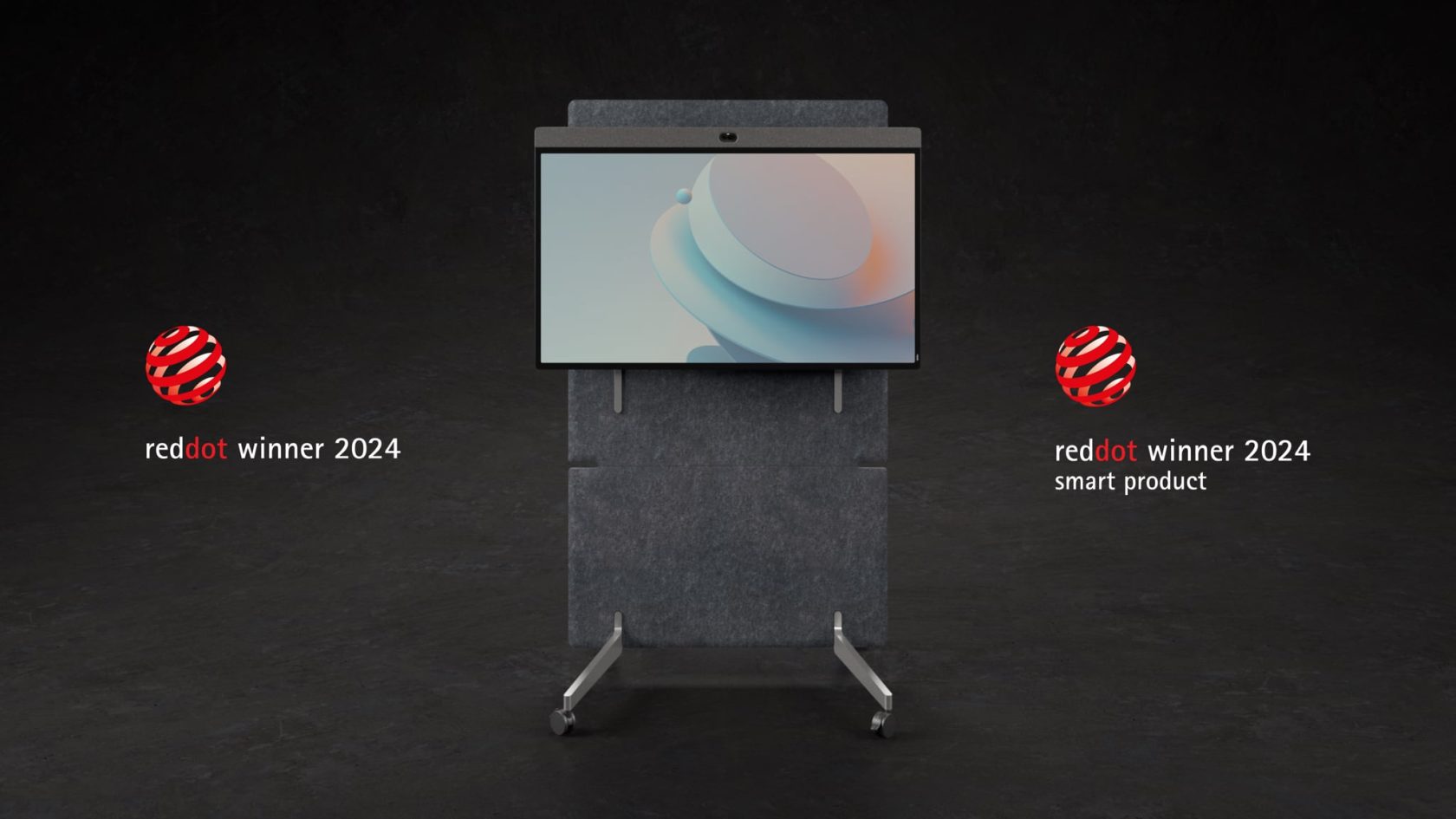
Solutions such as Neat Board 50 bring together video conferencing, wireless content sharing, digital whiteboarding, and collaboration capabilities in a single device. Designed for flexible meeting spaces, Neat Board 50 can be mounted on a wall, placed on a stand, or moved between rooms as needs change. Its all-in-one design helps reduce hardware complexity and cable clutter, making it particularly well suited to small conference rooms, huddle spaces, and multi-purpose collaboration areas where maximizing usable space is a priority.
Neat’s portfolio also supports leading workplace collaboration platforms, helping organizations create consistent meeting experiences across their meeting rooms, huddle spaces, and open collaboration areas.
As organizations continue to invest in hybrid work and more flexible office design, Neat helps ensure that small conference rooms deliver the same high-quality meeting experience as larger collaboration spaces.
Perhaps it’s time to book a demo and experience them for yourself.
Frequently asked questions
What size should a small conference room be?
Most small conference rooms range between 100 and 250 square feet and comfortably accommodate between four and eight people, depending on furniture layout and technology requirements.
How much space should I leave around a conference table?
A minimum of three feet of clearance around tables and seating areas is generally recommended to allow comfortable movement throughout the room.
What technology is essential in a small conference room?
Most modern conference rooms should include video conferencing capabilities, high-quality audio, wireless content sharing, reliable internet connectivity, and room scheduling functionality.
How can I make a small conference room feel larger?
Using lighter colors, maximizing natural light, minimizing clutter, incorporating reflective surfaces, and choosing appropriately scaled furniture can all help create a more spacious feel.
Are huddle rooms different from conference rooms?
Yes. Huddle rooms are typically designed for quick collaboration among two to four people, while small conference rooms often accommodate larger groups and support more formal meetings.
Why are acoustics important in meeting rooms?
Poor acoustics can negatively affect both in-person conversations and remote participation. Acoustic treatments help improve clarity, reduce echo, and create a better meeting experience for everyone involved.
What should organizations consider when designing conference rooms for hybrid work?
Organizations should focus on meeting equity, ensuring remote participants can see, hear, and contribute as effectively as those physically present in the room. High-quality audio, intelligent video technology, and seamless content sharing are all important considerations.
Sources
- Gensler — Global Workplace Survey
https://www.gensler.com/gri/workplace-surveys - Microsoft — Work Trend Index
https://www.microsoft.com/en-us/worklab/work-trend-index - International WELL Building Institute (IWBI) — Workplace design, wellbeing, and healthy building research
https://www.wellcertified.com - Healthline — Science-Backed Benefits of Indoor Plants
https://www.healthline.com/health/benefits-of-indoor-plants