

A How-to Guide to Building a Professional Video Conferencing Setup: Home Offices in 2026
Hayley Spooner, Jun 9, 2026
Key takeaways
- Building an effective home-office video conferencing setup requires balancing technology, workspace design, and user experience.
- Audio quality has a greater impact on meeting effectiveness than most people realize and should be prioritized ahead of video upgrades.
- AI-powered collaboration technology is helping remote employees participate more naturally and effectively in hybrid meetings.
- Lighting, acoustics, connectivity, and ergonomics all play a significant role in creating a professional meeting experience.
- Organizations increasingly benefit from standardizing home-office setups to improve meeting equity, reduce IT complexity, and support employee productivity.
- Integrated collaboration devices are becoming a preferred option because they simplify deployment while delivering consistent, high-quality experiences.
Why home-office video conferencing matters more than ever
The home office has become a permanent fixture of modern work.
While many organizations have brought employees back into physical offices for part of the week, few have fully abandoned flexible work arrangements. Instead, hybrid work has emerged as the dominant model across industries, requiring employees to move seamlessly between home, office, and shared workspaces.
This evolution has fundamentally changed expectations around video conferencing. A few years ago, joining a meeting from a spare bedroom or kitchen table was often viewed as a temporary compromise. In 2026, it is simply another workplace.
The expectation today is that remote employees can communicate, collaborate, and contribute just as effectively as colleagues sitting in a conference room. When home-office technology fails to support that goal, meeting quality suffers. Communication becomes fragmented, decision-making slows down, and remote employees can feel disconnected from conversations.
A professional video conferencing setup is therefore no longer a luxury. It is an essential part of creating productive, inclusive, and effective workplace experiences.
The good news is that building a high-quality setup does not require turning your home office into a television studio. It requires understanding the factors that most influence collaboration and making intentional choices about how your workspace supports them.
Start with the experience
Many people approach video conferencing by creating a shopping list.
They focus on webcams, microphones, monitors, and headsets before considering what they are actually trying to achieve.
A better approach is to start with the experience itself.
A successful video meeting should feel effortless. Participants should not be distracted by technical issues. Conversations should flow naturally. Everyone should be able to see, hear, and contribute without constantly adjusting settings or troubleshooting problems.
When viewed through that lens, the most effective home-office environments share a common set of characteristics.
| Element | Purpose | Impact on meeting quality |
|---|---|---|
| Audio | Clear communication | Critical |
| Video | Presence and engagement | Critical |
| Connectivity | Reliability | Critical |
| Lighting | Visibility and professionalism | High |
| Acoustics | Speech clarity | High |
| Ergonomics | Comfort and productivity | High |
These elements work together to create an experience that supports collaboration rather than distracting from it.
The goal is to create an environment where technology fades into the background and people can focus on meaningful work.
Why audio should be your first priority
One of the biggest mistakes professionals make when building a home-office setup is focusing on video before audio.
This is understandable. Cameras are visible. Video quality is easy to notice. Marketing materials often emphasize resolution, frame rates, and image quality.
Yet when it comes to meeting effectiveness, audio remains far more important.
Human beings can tolerate imperfect video surprisingly well. A participant might appear slightly grainy or experience minor visual artifacts without significantly affecting communication. Poor audio creates a completely different experience.
When participants struggle to hear clearly, the brain must work harder to process information. Over time, this creates fatigue, frustration, and reduced engagement. Small misunderstandings become more frequent. Conversations become less efficient.
Home environments often introduce additional challenges. Traffic noise, barking dogs, household appliances, deliveries, and family members can all interfere with meeting quality.
Modern collaboration technology increasingly relies on artificial intelligence to address these issues. Noise suppression can eliminate unwanted background sounds. Beamforming microphones help focus on the speaker’s voice. Echo cancellation ensures conversations remain natural and comfortable.
For most professionals, improving audio quality delivers a larger improvement than upgrading a camera.
Creating a professional video experience
Video remains an essential component of workplace communication because it helps people connect.
Facial expressions, body language, and visual engagement all contribute to stronger collaboration. In distributed teams, video can help reinforce relationships that might otherwise weaken over time.
Fortunately, modern video technology has become significantly more intelligent.
Rather than simply capturing an image, today’s collaboration devices use artificial intelligence (AI) to optimize how participants appear on screen. Intelligent framing can keep users naturally centered within the image. Automatic exposure adjustments compensate for changing lighting conditions. Background optimization helps reduce visual distractions.
These capabilities are particularly valuable in home-office environments where conditions are rarely perfect.
A professional video experience does not require a dedicated production setup. It requires consistency. Participants should appear clear, visible, and engaged regardless of the time of day or the specific room they are working from.
The best camera is often the one that requires the least attention.
Designing a workspace that supports focus
Technology alone cannot create a productive meeting environment.
The physical workspace surrounding that technology plays an equally important role.
Many professionals now spend several hours each day participating in virtual meetings. A workspace that supports concentration, comfort, and wellbeing can significantly improve both meeting performance and overall productivity.
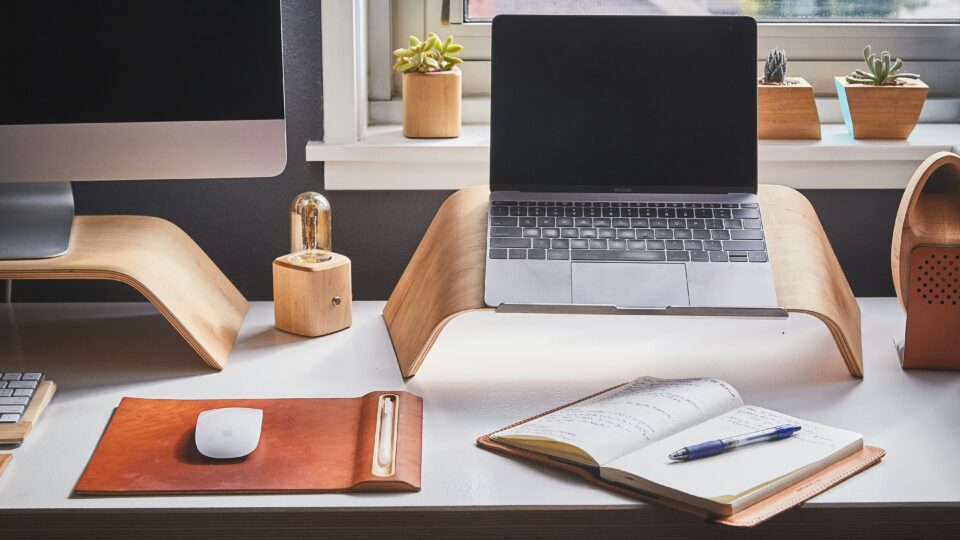
An effective home office begins with ergonomics. Displays should be positioned at eye level. Chairs should provide appropriate support. Desk layouts should allow employees to work comfortably throughout the day.
Beyond ergonomics, workspace design also affects how people appear during meetings.
A cluttered background can create distractions and reduce professionalism. Excessive movement behind participants can make it difficult for others to focus. Thoughtful workspace design helps minimize these issues while creating a more polished appearance.
The most successful home offices are designed around how people actually work rather than how they imagine they will work.
Why lighting matters more than camera quality
If there is one upgrade that consistently delivers outsized results, it is lighting.
Many professionals assume that upgrading their camera will automatically improve meeting quality. In reality, lighting often has a greater influence on appearance than the camera itself.
Even advanced cameras struggle when participants are poorly illuminated. Shadows, backlighting, and inconsistent brightness can make people appear tired, disengaged, or difficult to see.
Natural light remains an excellent option when available, but relying solely on daylight creates challenges because conditions change throughout the day.
A dedicated front-facing light source provides consistency and helps cameras perform more effectively. Balanced lighting improves image quality, enhances facial visibility, and creates a more professional overall appearance.
In many cases, improving lighting can produce a more noticeable result than purchasing a more expensive camera.
Connectivity is the foundation of every meeting
Reliable connectivity remains one of the most important components of a successful video conferencing setup.
Without a stable connection, even the best collaboration technology will struggle to deliver a consistent experience.
Modern meeting platforms increasingly rely on cloud services and AI-powered capabilities. Features such as live transcription, automated summaries, language translation, and intelligent video processing place additional demands on network performance.
Organizations should encourage employees to invest in reliable broadband connections and modern Wi-Fi infrastructure.
Recommended connectivity standards
| Meeting scenario | Recommended bandwidth |
|---|---|
| HD Video Meetings | 5 Mbps |
| Full HD Collaboration | 10 Mbps |
| Frequent Multi-Participant Meetings | 15 Mbps |
| AI-Enhanced Collaboration Workflows | 20 Mbps+ |
While speed is important, consistency is often even more valuable. A stable connection creates a better experience than a faster connection that experiences frequent interruptions.
The growing role of AI in video conferencing
Artificial intelligence is rapidly becoming one of the defining characteristics of modern collaboration technology.
What began as a collection of niche features has evolved into a core part of how meetings function.
Many professionals now rely on AI without even realizing it. Automatic framing, noise suppression, speaker tracking, meeting transcription, and intelligent summaries have become commonplace across collaboration platforms.
These capabilities help address one of the biggest challenges facing hybrid organizations: meeting equity.
Historically, remote participants often struggled to engage on equal terms with colleagues in physical meeting rooms. AI-powered collaboration features help reduce those disparities by ensuring everyone can see, hear, and contribute more effectively.
As workplace technology continues to evolve, intelligent capabilities will become increasingly central to how organizations evaluate collaboration solutions.
Learn how Neat video meeting devices use AI in this article.
Should you build a setup yourself or choose an integrated solution?
There are two common approaches to creating a home-office collaboration environment.
The first involves assembling individual components. Employees select a webcam, microphone, speakers, lighting, and software independently.
The second relies on integrated collaboration devices that combine these capabilities into a single experience.
Both approaches can be successful. However, integrated solutions are becoming increasingly popular because they reduce complexity.
Managing multiple devices often creates challenges around compatibility, updates, troubleshooting, and support. Integrated systems simplify these processes while delivering a more consistent experience.
For organizations supporting large numbers of remote employees, standardization often improves both user satisfaction and operational efficiency.
As collaboration becomes increasingly important to business success, simplicity is emerging as a competitive advantage.
Where Neat fits in
As organizations continue to refine their hybrid-work strategies, many are looking for ways to create consistent collaboration experiences regardless of where employees work.
Neat’s portfolio is designed around this principle. Rather than requiring separate cameras, microphones, speakers, and management tools, Neat devices combine these capabilities into integrated collaboration experiences optimized for modern workplaces.
Solutions such as Neat Frame provide a dedicated personal collaboration device that helps professionals create a high-quality meeting experience in home offices and individual workspaces. By combining intelligent framing, premium audio, and a purpose-built design, Neat helps reduce many of the challenges associated with traditional desktop setups.
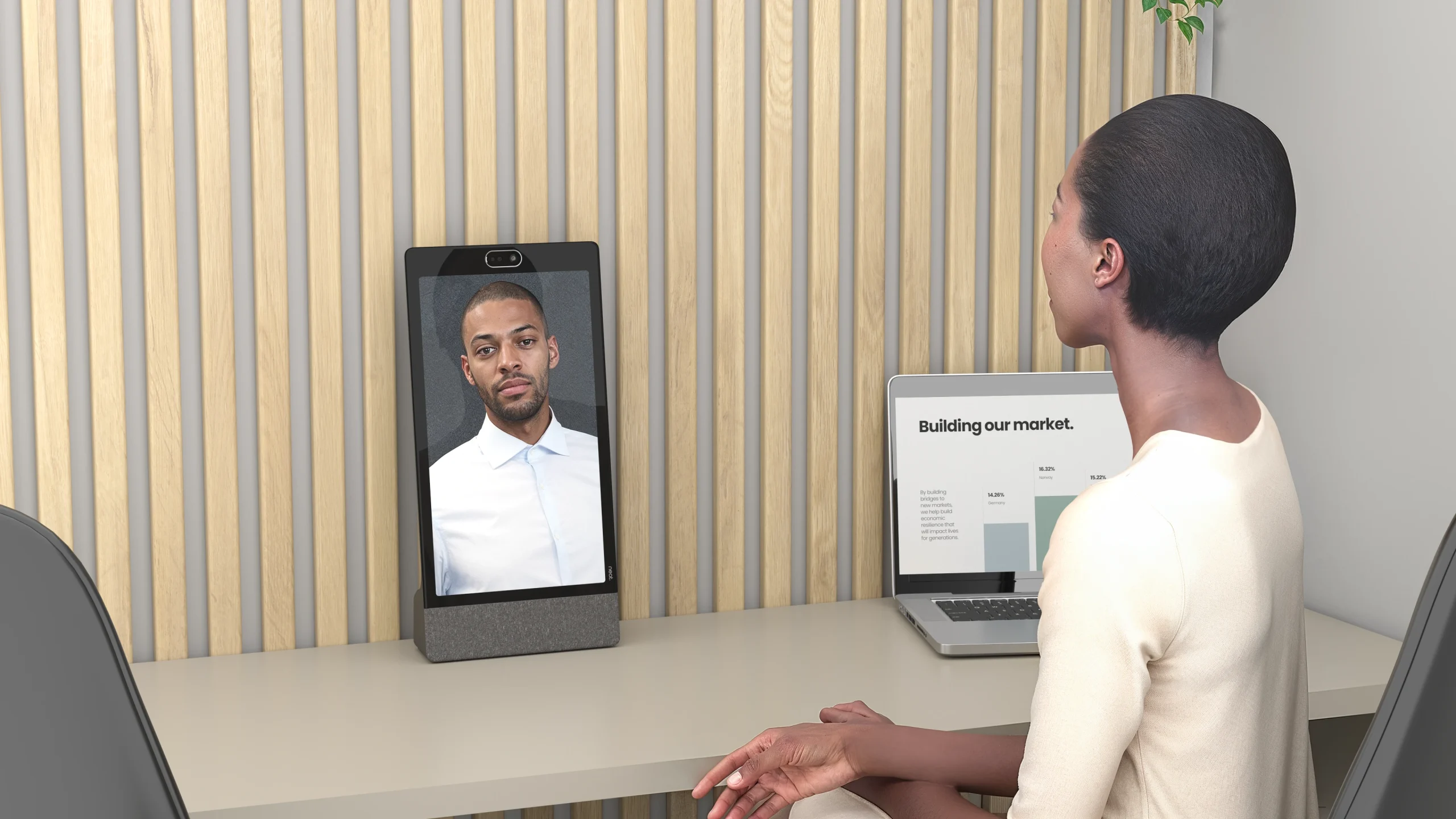
Across the wider portfolio, Neat incorporates AI-powered audio and video capabilities that support meeting equity and participant engagement. These features help ensure employees can collaborate naturally whether they are working from home, in the office, or somewhere in between.
For organizations managing distributed workforces, Neat Pulse provides centralized visibility and device management, helping IT teams support collaboration environments at scale while maintaining consistency and reducing complexity.
As hybrid work continues to evolve, organizations are increasingly prioritizing simplicity, reliability, and intelligent collaboration experiences. Neat’s approach aligns closely with these priorities by helping teams connect more naturally wherever work happens.
Book a demo or explore our range of devices today.
Frequently asked questions
What is the most important part of a home-office video conferencing setup?
Audio quality typically has the greatest impact on meeting effectiveness. Clear communication is the foundation of successful collaboration, making microphones and audio processing more important than many professionals realize.
Do I need a dedicated webcam?
Employees who spend significant time in meetings generally benefit from dedicated collaboration devices or advanced cameras that provide superior image quality, intelligent framing, and better overall performance.
How can I improve my video conferencing setup on a budget?
Lighting improvements, workspace organization, and audio upgrades often deliver substantial benefits without requiring a complete technology refresh.
What internet speed is recommended for video conferencing?
Most professionals should aim for at least 10 Mbps to support reliable high-definition meetings. Higher speeds may be beneficial when using AI-powered collaboration features.
Are all-in-one collaboration devices worth it?
For many users, integrated solutions simplify setup, reduce technical issues, and provide a more consistent collaboration experience compared to managing multiple separate devices.
How important is ergonomics in a video conferencing setup?
Ergonomics plays a significant role in comfort, productivity, and wellbeing. Employees who spend several hours per day in meetings benefit from workspaces designed to support sustained focus and healthy working habits.
Sources
- Microsoft Teams Documentation, Microsoft, https://learn.microsoft.com/microsoftteams/
- Microsoft Teams Rooms Documentation, Microsoft, https://learn.microsoft.com/microsoftteams/rooms/
- Zoom Workplace, Zoom, https://explore.zoom.us/en/workplace/
- Zoom Learning Center, Zoom, https://learning.zoom.us/
- AI, Zoom, https://www.zoom.com/en/products/ai-companion/
- Hybrid Work Resources, Gartner, https://www.gartner.com/en/human-resources/topics/hybrid-work
- Future of Work Research, IDC, https://www.idc.com/promo/future-of-work
- Hybrid work, Gartner, https://www.gartner.com/en/articles/what-is-hybrid-work