


Bring Your Own Device (BYOD): Benefits, Risks, and How to Make It Work
Hayley Spooner, May 27, 2026
What is BYOD?
Bring Your Own Device (BYOD) is a workplace approach that allows employees to use their own personal devices—such as smartphones, laptops, and tablets—for work. Instead of relying entirely on company-issued hardware, organisations give people the flexibility to work on devices they already own and are familiar with.
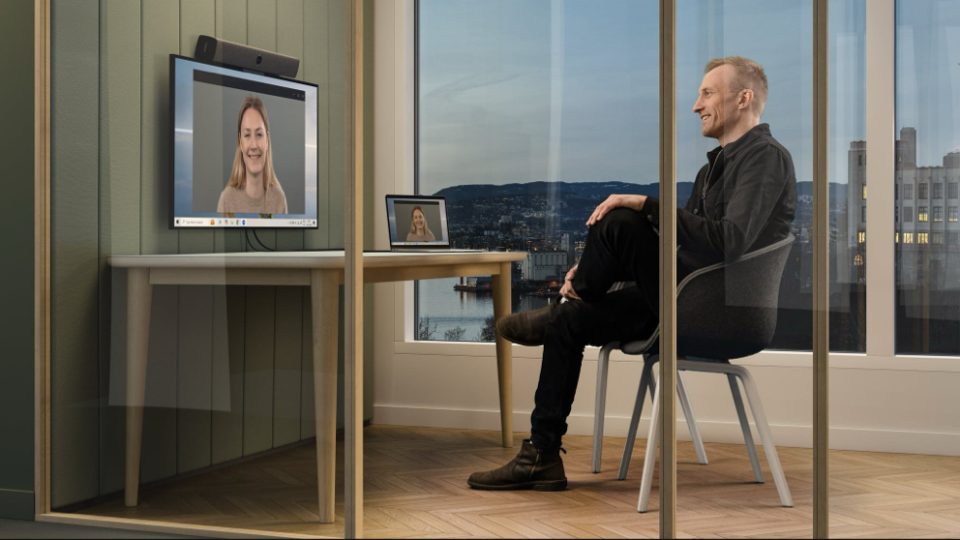
As hybrid and remote work have become more common, BYOD has also extended into meeting rooms. Employees increasingly expect to walk into a space, connect their own laptop, and use familiar tools—while still benefiting from high-quality audio and video.
Why companies adopt BYOD
Organisations adopt BYOD because it improves both employee experience and operational efficiency. When people use devices they already know, they tend to work more comfortably and productively, without needing to adapt to unfamiliar systems.
BYOD can also reduce hardware costs, particularly for growing organisations that would otherwise need to purchase and maintain devices for every employee. At the same time, it supports more flexible ways of working, allowing people to access systems from anywhere.
In meeting spaces, BYOD removes friction by letting employees use their own laptops to run meetings on any platform. Solutions such as Neat Bar are designed specifically for this, enabling users to connect their device and immediately access professional-grade audio and video without needing to learn a new system.
BYOD benefits vs challenges
| Aspect | Benefits of BYOD | Challenges of BYOD |
| Employee experience | Familiar devices improve comfort and productivity | Inconsistent experience across devices |
| Cost | Reduced need for company hardware | Increased IT support complexity |
| Flexibility | Supports remote and hybrid work | Harder to control access |
| Collaboration | Use preferred meeting platforms | Integration across systems can vary |
| IT management | Faster onboarding | Broader range of devices to manage |
The challenges of BYOD
Despite its advantages, BYOD introduces several challenges that organisations must manage carefully. Security is one of the most significant concerns. Personal devices may not meet corporate standards, and if they are lost or compromised, sensitive data could be exposed.
There are also important privacy considerations. When personal and work data exist on the same device, organisations must protect company information without intruding on employee privacy. Striking this balance is essential to maintaining trust.
Operational complexity is another factor. IT teams often need to support a wide variety of devices, operating systems, and configurations. In regulated industries, this can create additional compliance challenges.
In meeting environments, inconsistency can also become an issue. Without the right setup, users may struggle with cables, compatibility, or poor audio and video quality.
How to implement BYOD successfully
For BYOD to work effectively, organisations need a structured approach that combines flexibility with clear controls. A well-defined BYOD policy is essential, as it sets expectations around acceptable use, security requirements, and responsibilities.
Technology plays a key role in supporting this. Many organisations use mobile device management or endpoint management tools to enforce security standards such as encryption and secure access. These tools help protect company data without requiring full control over personal devices.
In meeting rooms, purpose-built solutions can simplify the experience while maintaining control. Neat devices, for example, support BYOD mode, allowing users to connect a laptop and use the room’s camera, microphones, and speakers with any video platform. This means employees can join meetings on Zoom, Microsoft Teams, Google Meet, or other services using their own device, while still benefiting from a consistent in-room setup.
Separating work and personal data is another important practice. This can be achieved through secure applications or containerisation, which isolates company data and reduces risk.
BYOD best practices checklist
| Area | Best practice | Why it matters |
| Policy | Define a clear BYOD policy | Ensures consistency and accountability |
| Security | Enforce encryption and authentication | Protects company data |
| Device management | Use MDM or endpoint tools | Maintains standards across devices |
| Data separation | Isolate work and personal data | Protects privacy |
| Meeting rooms | Use BYOD-enabled room systems | Simplifies collaboration |
| Updates | Keep devices up to date | Reduces vulnerabilities |
| Training | Educate employees | Minimises human error |
Simplifying BYOD in meeting rooms
One of the biggest challenges with BYOD is ensuring that collaboration remains simple and consistent, regardless of the device or platform being used. Employees expect to walk into a meeting room, connect their laptop, and start a meeting instantly.
This is where dedicated BYOD solutions make a difference. Devices such as Neat Bar 2 allow users to connect via a single USB-C cable and immediately use the room’s high-quality camera, microphones, and speakers.
Because the meeting runs from the user’s laptop, there is no platform lock-in. Teams can use any conferencing tool while still benefiting from advanced features such as intelligent audio and video that adapt to the room environment.
Neat devices also support centralised management through Neat Pulse, allowing IT teams to monitor, update, and manage devices at scale.
BYOD in meeting rooms: Traditional vs Neat-enabled
| Feature | Traditional meeting rooms | BYOD with Neat devices |
| Setup | Complex or platform-specific | Simple laptop connection |
| Platform support | Often limited | Works with any platform |
| User experience | Inconsistent | Consistent, high-quality |
| Audio & video | Varies by device | Intelligent, adaptive hardware |
| IT management | Fragmented systems | Centralised via Neat Pulse |
| Flexibility | Fixed workflows | User-driven experience |
Is BYOD right for every organisation?
BYOD is not a one-size-fits-all solution. It works best in environments that rely on cloud-based tools and support flexible working models. In these cases, it can significantly improve both productivity and employee satisfaction.
However, organisations that handle highly sensitive data or operate under strict regulations may need tighter controls. In such cases, a hybrid approach—combining BYOD flexibility with managed systems—may be more appropriate.
Where Neat fits in
Neat helps organisations make BYOD meeting experiences simpler, more flexible, and more consistent by combining user-driven workflows with intelligent collaboration technology.
Devices such as Neat Bar 2 support dedicated BYOD modes that allow employees to connect their laptop with a single USB-C cable and immediately use the room’s professional-grade camera, microphones, and speakers on the conferencing platform of their choice, including Zoom, Microsoft Teams, and Google Meet.
At the same time, adaptive audio and video technologies help maintain a high-quality collaboration experience regardless of room setup or participant movement. Combined with centralized management through Neat Pulse, Neat’s approach enables organizations to support flexible, platform-agnostic collaboration while reducing friction for both employees and IT teams.
Key takeaway
BYOD can deliver real benefits, including greater flexibility, lower costs, and a better employee experience. However, these benefits depend on careful implementation.
Organisations need to balance employee freedom with strong security practices, clear policies, and technology that simplifies how people connect and collaborate.
In meeting spaces in particular, combining BYOD with purpose-built solutions such as Neat devices allows organisations to deliver a consistent, high-quality experience while still giving users the flexibility to work their own way.
Frequently Asked Questions: BYOD
What is BYOD in the workplace?
BYOD, or Bring Your Own Device, is a policy that allows employees to use their personal devices—such as laptops, smartphones, or tablets—for work purposes. Instead of relying solely on company-issued hardware, employees can access work systems using devices they already own, which can improve flexibility and reduce costs.
Is BYOD secure?
BYOD can be secure if it is properly managed. Organisations typically use security measures such as encryption, strong authentication, and mobile device management tools to protect company data. Separating work and personal data and ensuring devices are regularly updated are also important steps in reducing risk.
What are the main benefits of BYOD?
The main benefits of BYOD include improved employee flexibility, reduced hardware costs, and increased productivity. Employees can work on devices they are already familiar with, which reduces friction and allows them to work more efficiently, particularly in remote or hybrid environments.
What are the risks of BYOD?
The main risks of BYOD include security vulnerabilities, data privacy concerns, and increased complexity for IT teams. Personal devices may not meet corporate security standards, and managing multiple device types can make support and compliance more challenging.
How does BYOD work in meeting rooms?
In meeting rooms, BYOD allows employees to connect their personal laptop to the room system and run meetings using their preferred platform. Instead of logging into a shared room device, users simply plug in and use their own device while the room provides high-quality audio and video.
Solutions such as Neat devices support this approach by allowing users to connect via a single cable and instantly access the room’s camera, microphones, and speakers while running meetings from their laptop.
Do Neat devices support BYOD?
Yes, Neat devices support BYOD through a dedicated mode that allows users to connect their laptop directly to the meeting room system. Once connected, the device uses the room’s audio and video hardware while the meeting itself runs on the user’s chosen platform, such as Zoom, Microsoft Teams, or Google Meet.
This makes it easy to deliver a consistent meeting experience without restricting users to a single platform.
What is the best way to implement BYOD?
The best way to implement BYOD is to combine clear policies with strong security and user-friendly technology. Organisations should define acceptable use, enforce security standards, separate work and personal data, and provide training for employees.
In meeting spaces, using BYOD-enabled systems can simplify the experience and reduce technical issues, making it easier for employees to connect and collaborate.
Is BYOD suitable for every organisation?
BYOD is not suitable for every organisation. It works best in environments that support flexible working and rely on cloud-based tools. Organisations in highly regulated industries or those handling sensitive data may need stricter controls or a hybrid approach that combines BYOD with company-managed devices.
Why not book a demo and Experience Neat in action during one of our live product tours, or book a one-on-one demo with a Neat specialist for a personalized deep dive.experience Neat devices for yourself?





