


How to Host a Successful Zoom Meeting in 2026: 9 Best Practices for Better Hybrid Collaboration
Hayley Spooner, Aug 4, 2026
Key takeaways
- Successful Zoom meetings start with clear objectives and thoughtful preparation.
- Great meeting experiences depend on people, process, and technology working together.
- AI can automate administrative tasks, allowing participants to focus on discussion and decision-making.
- High-quality audio and video have a greater impact on meeting quality than adding more meeting features.
- Hybrid meetings should provide an equal experience for remote and in-room participants.
- Purpose-built collaboration devices help remove technical friction, making meetings feel more natural and productive.
Introduction
Hosting a successful Zoom meeting is about much more than clicking “Start Meeting.”
As hybrid work has become the standard for many organizations, expectations have changed. Employees want meetings that begin on time, run smoothly, encourage participation, and end with clear outcomes. They also expect technology to work reliably without becoming the focus of the meeting.
Fortunately, modern meeting technology has made this easier than ever. AI can summarize discussions, capture action items, improve audio quality, and reduce administrative work, allowing teams to spend more time collaborating and less time managing technology.
At the same time, organizations are rethinking the meeting room itself. Instead of relying on complicated room systems or lengthy setup processes, many businesses are investing in intuitive collaboration devices that make joining a Zoom meeting as simple as walking into the room.
This guide explains what makes a successful Zoom meeting in 2026 and shares nine practical best practices to help teams communicate more effectively, whether participants are joining from home, the office, or somewhere in between.
What makes a successful Zoom meeting?
A successful Zoom meeting helps people achieve a clear objective while creating an engaging experience for every participant.
It’s not measured by how long the meeting lasts or how many people attend. Instead, successful meetings are defined by productive conversations, active participation, and clear outcomes.
The best Zoom meetings typically include:
- A clear agenda.
- Reliable audio and video.
- Active participation from everyone.
- Inclusive hybrid collaboration.
- Clear action items and next steps.
- Technology that supports the conversation instead of interrupting it.
When these elements come together, meetings become more efficient, more engaging, and more valuable for everyone involved.
Why Zoom meetings have changed
The way organizations use Zoom has evolved significantly over the past few years.
Video meetings are no longer reserved for remote employees. They have become an everyday part of collaboration, connecting distributed teams, customers, and partners across multiple locations.
Several trends are shaping the modern Zoom meeting experience.
AI is reducing administrative work
Artificial intelligence is helping teams spend less time managing meetings and more time contributing to them.
Many organizations now use AI to:
- Generate meeting summaries.
- Capture action items.
- Organize meeting notes.
- Identify follow-up tasks.
- Help participants catch up on missed discussions.
Instead of asking someone to manually record every decision, AI allows everyone to remain focused on the conversation.
Hybrid meetings are now the default
Today’s meetings often include participants joining from conference rooms, home offices, and mobile devices at the same time.
Creating an equitable experience for everyone requires more than simply connecting a laptop to a meeting.
Meeting rooms need technology that helps remote participants see, hear, and engage with everyone naturally.
Meeting quality matters more than meeting quantity
Organizations are increasingly encouraging fewer, more purposeful meetings.
Rather than scheduling meetings by default, teams are focusing on conversations that require discussion, collaboration, or decision-making.
Organizations are also paying greater attention to video conferencing fatigue, making shorter, more purposeful meetings and better meeting experiences a higher priority.
When meetings do take place, they’re expected to deliver meaningful outcomes.
9 best practices for hosting successful Zoom meetings
Great meetings don’t happen by accident.
The following best practices can help teams create more productive, engaging, and inclusive Zoom meetings.
1. Start with a clear agenda
Every successful meeting begins with a clear purpose.
Before scheduling a Zoom meeting, ask yourself:
- What decisions need to be made?
- Who actually needs to attend?
- What should participants prepare in advance?
- What outcomes should the meeting achieve?
Sharing an agenda before the meeting helps participants arrive prepared and keeps conversations focused.
If your organization uses AI-powered meeting tools, they can also help generate agendas or organize discussion topics before the meeting begins.
2. Test your technology before joining
Nothing disrupts a meeting faster than spending the first ten minutes troubleshooting audio or video.
Before important meetings, check:
- Your camera.
- Your microphone.
- Speaker volume.
- Internet connection.
- Lighting.
- Screen sharing.
For organizations that regularly use Zoom, purpose-built collaboration devices can make this process much simpler.
For example, Neat Frame is designed specifically for personal workspaces, combining an intelligent camera, premium audio, and an integrated display into a single Zoom-certified device. Rather than managing multiple peripherals, users can simply join the meeting and focus on the conversation.
3. Join a few minutes early
Arriving early gives participants time to resolve any unexpected issues before the meeting begins.
It also allows hosts to welcome attendees, confirm everyone can hear and see each other clearly, and ensure the meeting starts on time.
In modern meeting rooms, this preparation often takes only moments.
Intelligent meeting devices automatically wake when participants enter the room, reducing many of the small delays traditionally associated with starting meetings.
4. Prioritize audio quality
People are generally willing to tolerate average video quality.
Poor audio is much harder to ignore.
Background noise, echo, poor microphone placement, and room acoustics can quickly reduce meeting quality and make conversations more difficult to follow.
When hosting meetings in conference rooms, it’s important to use equipment that’s designed for the size of the space.
Solutions such as Neat Bar Generation 2 use intelligent microphone arrays, AI-powered audio processing, and premium speakers to capture voices clearly throughout the room while reducing background noise and echo. The result is a more natural conversation where participants spend less time repeating themselves and more time collaborating.
5. Encourage everyone to participate
The most productive meetings are conversations, not presentations.
Encourage participants to contribute by:
- Asking open-ended questions.
- Inviting quieter attendees into the discussion.
- Using chat for questions and comments.
- Running polls where appropriate.
- Summarizing key points throughout the meeting.
For hybrid meetings, it’s especially important to ensure remote participants have equal opportunities to contribute.
Features such as Neat Symmetry, available on compatible Neat devices, automatically frame in-room participants individually, helping remote attendees see facial expressions and follow conversations more naturally. This creates a more engaging and equitable meeting experience for everyone.
6. Use AI to capture notes and action items
Taking notes during a meeting can distract participants from the discussion itself.
AI-powered meeting tools can automatically summarize conversations, capture key decisions, identify action items, and generate follow-up notes, allowing everyone to stay focused on contributing rather than documenting.
That doesn’t mean AI replaces good facilitation.
Meeting hosts should still confirm key decisions, clarify ownership of action items, and ensure everyone leaves with a shared understanding of next steps.
At the same time, intelligent meeting technology helps reduce distractions during the meeting itself. Rather than manually adjusting cameras or microphones, Neat devices automatically optimize framing, audio, and video so participants can focus entirely on the conversation.
7. Keep remote participants engaged
One of the biggest challenges in hybrid meetings is ensuring remote attendees feel like active participants instead of observers.
Meeting hosts can improve engagement by:
- Looking toward the camera when speaking.
- Inviting remote attendees to contribute first.
- Sharing content that’s easy for everyone to see.
- Pausing regularly for questions.
- Avoiding side conversations in the room.
The meeting room itself also plays an important role.
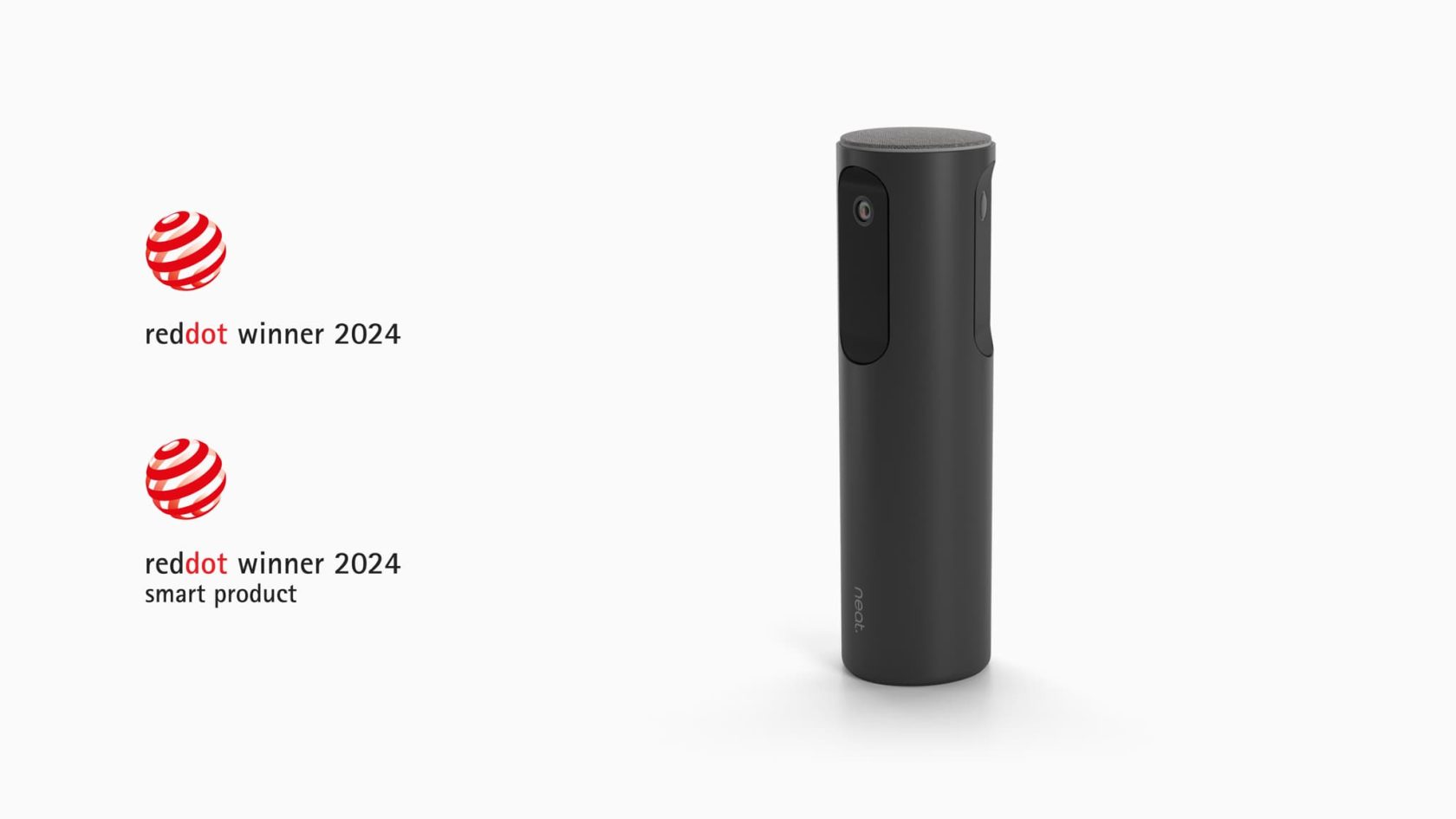
Neat Center extends visibility beyond the front of the room, helping remote participants see and hear conversations wherever people are seated. By creating a more natural view of in-room interactions, it helps make hybrid meetings feel more inclusive.
8. End every meeting with clear actions
Before ending the meeting, take a few minutes to summarize:
- Key decisions.
- Action items.
- Owners.
- Deadlines.
- Follow-up meetings, if required.
A clear summary ensures everyone leaves with the same understanding of what happens next and reduces the need for unnecessary follow-up meetings.
When AI-generated meeting summaries are available, they’re an excellent way to reinforce these outcomes, but they should complement—not replace—a concise verbal recap from the meeting host.
9. Review and improve future meetings
Great meeting hosts continuously refine how they run meetings.
After important meetings, ask:
- Did we achieve the meeting objective?
- Did everyone have an opportunity to contribute?
- Were there any technical issues?
- Could this meeting have been shorter?
- What should we do differently next time?
Small improvements made consistently can significantly improve collaboration over time.
Organizations that regularly review meeting quality often find they can reduce meeting fatigue while increasing productivity.
Zoom meeting checklist
Use this checklist before, during, and after every Zoom meeting to help create a smoother experience.
| Before the meeting | During the meeting | After the meeting |
|---|---|---|
| Share a clear agenda | Encourage participation from everyone | Review action items |
| Test your camera and audio | Keep discussions focused | Share meeting notes or AI summary |
| Check lighting and internet connection | Include remote participants equally | Confirm owners and deadlines |
| Join a few minutes early | Monitor meeting time | Gather feedback where appropriate |
Common mistakes to avoid
Even experienced meeting hosts can unintentionally create frustrating meeting experiences.
Avoid these common pitfalls.
Starting without an agenda
Without a clear objective, meetings often drift between unrelated topics and run longer than necessary.
Ignoring remote participants
Hybrid meetings should be designed so everyone can contribute equally, regardless of where they’re joining from.
Prioritizing video over audio
Participants can tolerate average video quality, but poor audio quickly makes meetings difficult to follow.
Overcomplicating the technology
The best collaboration technology feels almost invisible.
Participants shouldn’t need extensive training or multiple devices just to join a meeting.
Ending without next steps
Meetings should finish with clearly assigned actions and agreed deadlines so work continues after the call ends.
Trends shaping Zoom meetings in 2026
Video collaboration continues to evolve as AI and hybrid work become standard across modern organizations.
Several trends are influencing how Zoom meetings are hosted.
AI-assisted collaboration
AI is increasingly helping teams prepare for meetings, summarize discussions, organize action items, and automate routine administrative tasks.
More equitable hybrid meetings
Organizations are investing in meeting experiences that allow remote participants to contribute as naturally as those sitting in the room.
Simpler meeting room technology
The best meeting rooms no longer require participants to manage complicated technology.
Instead, intelligent devices automatically optimize cameras, microphones, and audio while allowing meetings to begin quickly.
Better meeting analytics
Organizations are using meeting insights to better understand collaboration patterns, improve room utilization, and identify opportunities to make meetings more effective.
Technology that fades into the background
Rather than adding more controls, modern meeting technology is becoming increasingly intuitive, allowing participants to focus entirely on the discussion.
Where Neat fits in
Great Zoom meetings aren’t defined by the technology in the room—they’re defined by how little people need to think about it.
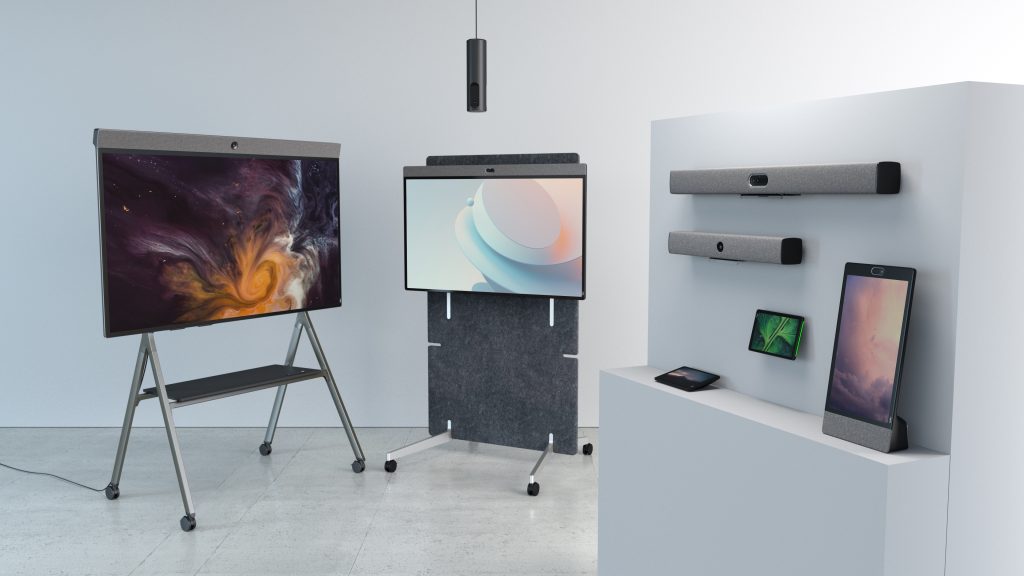
Neat designs collaboration devices that remove friction from meetings through intelligent cameras, adaptive audio, AI-powered experiences, wireless content sharing, and simple device management.
For personal workspaces, Neat Frame combines an all-in-one touchscreen display with an intelligent camera, premium audio, and built-in Zoom support, creating a distraction-free experience for one-on-one meetings and everyday collaboration.
For meeting rooms, Neat Bar Generation 2 brings together AI-powered cameras, adaptive microphone arrays, premium speakers, and intelligent processing to deliver exceptional audio and video while reducing the need for manual adjustments before or during meetings.
To improve hybrid collaboration, Neat Center works alongside compatible Neat devices to capture conversations from every angle, helping remote participants feel more connected and engaged regardless of where people are seated.
For collaborative workshops and presentations, Neat Board Pro combines Zoom video conferencing, wireless content sharing, digital whiteboarding, and a large interactive touchscreen into a single device that’s designed for effortless teamwork.
Behind every meeting, Neat Experiences continuously optimize framing, audio, and video using proprietary AI-powered technologies. Rather than asking users to manage cameras and microphones manually, these intelligent capabilities work automatically, allowing meetings to start faster and flow more naturally.
Organizations deploying Zoom Rooms across multiple locations can manage every device through Neat Pulse, a cloud-based management platform that enables remote monitoring, software updates, and centralized device administration.
Finally, Neat Open gives organizations the flexibility to choose the collaboration platforms that best support their business, ensuring meeting spaces remain adaptable as workplace technology continues to evolve.
Together, these solutions help create Zoom meeting experiences where technology stays in the background and people remain at the center of every conversation.
Perhaps it’s time to book a demo and experience them for yourself.
Frequently asked questions
How do you host a successful Zoom meeting?
Start with a clear agenda, test your technology before joining, encourage participation, prioritize audio quality, and finish with clear action items and next steps.
What are the best practices for Zoom meetings?
Successful Zoom meetings focus on preparation, reliable technology, inclusive participation, effective facilitation, and meaningful follow-up after the meeting.
How can I make Zoom meetings more engaging?
Encourage discussion rather than presentations, invite quieter participants to contribute, use interactive features when appropriate, and ensure remote attendees can participate equally.
How long should a Zoom meeting be?
Most meetings are most effective when they’re only as long as needed to achieve their objective. Keeping agendas focused helps reduce unnecessary meeting time.
Can AI improve Zoom meetings?
Yes. AI can generate agendas, summarize discussions, capture action items, and reduce administrative work, allowing participants to focus on collaboration.
What’s the best setup for hybrid Zoom meetings?
Use purpose-built collaboration devices with intelligent cameras, high-quality microphones, premium speakers, and technology designed to create equitable experiences for both remote and in-room participants.
Why is audio quality more important than video quality?
Poor audio makes conversations difficult to follow and increases meeting fatigue. Clear, natural audio helps participants communicate more effectively and stay engaged.
What equipment do you need for professional Zoom meetings?
The right equipment depends on the meeting space. Personal workspaces benefit from all-in-one collaboration devices such as Neat Frame, while meeting rooms are best served by purpose-built solutions that combine intelligent cameras, premium audio, and simple device management.
Sources
- Using Meeting Summary | Zoom Support | https://support.zoom.com/hc/en/article?id=zm_kb&sysparm_article=KB0058013
- Generating Meeting Agenda | Zoom Support | https://support.zoom.com/hc/en/article?id=zm_kb&sysparm_article=KB0081706
- Work Smarter, Create Faster: Zoom AI Drives Conversations to Completion | Zoom News | https://news.zoom.com/ec26-zoom-ai/
- Reviewing Best Practices in Online Conferencing | arXiv | https://arxiv.org/abs/2212.11619
- A Practical Guide to Hosting a Virtual Conference | arXiv | https://arxiv.org/abs/2505.06337





