


How to Make Managing Multiple Spaces Easier
Alice Moore, Oct 29, 2026
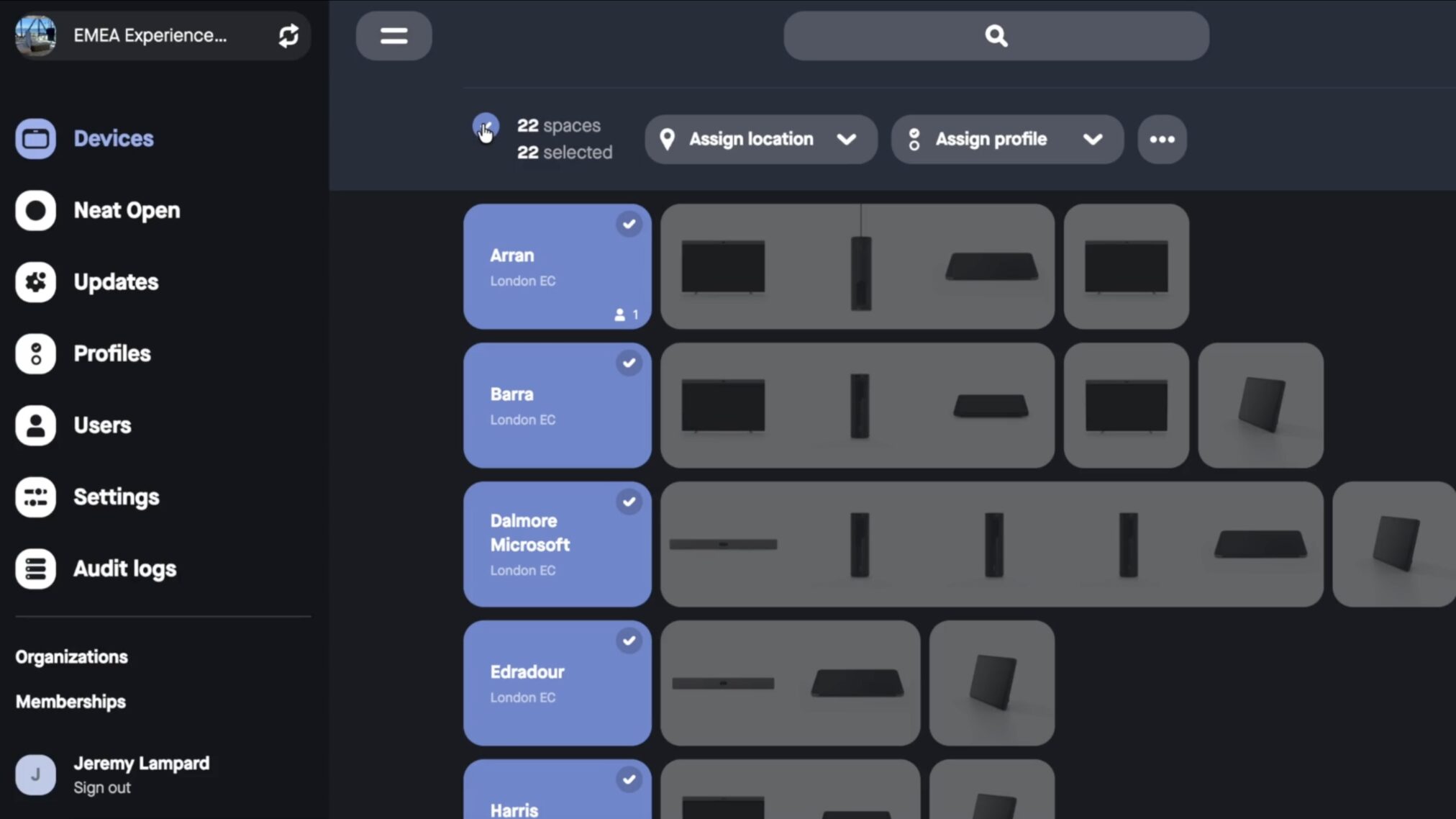
Make changes across your Neat deployment in a few clicks. Bulk Actions on Spaces in Neat Pulse lets your IT teams manage multiple spaces at once, saving time and simplifying administration.
In the second of our series of blogs focused on Neat Pulse, we’re looking at another feature that can save your IT teams time: Bulk Actions on Spaces.
As your Neat deployment grows across floors, offices, and locations, even straightforward administrative tasks can become time-consuming when you have to repeat them room by room.
Bulk Actions on Spaces changes that. Instead of working through individual spaces one at a time, you can select multiple spaces in Neat Pulse and apply the same action to all of them at once.
Simplify management at scale
Neat Pulse already lets you select multiple devices within a space and act on them together. Bulk Actions extends that capability to the space level, giving your IT teams a faster way to make changes across your deployment.
Select the spaces you need and, in one step, you can assign or reassign a location, apply or update a settings profile, export enrollment codes, or remove spaces entirely.
You spend less time on repetitive administration while keeping your deployment organized and consistent as it grows.
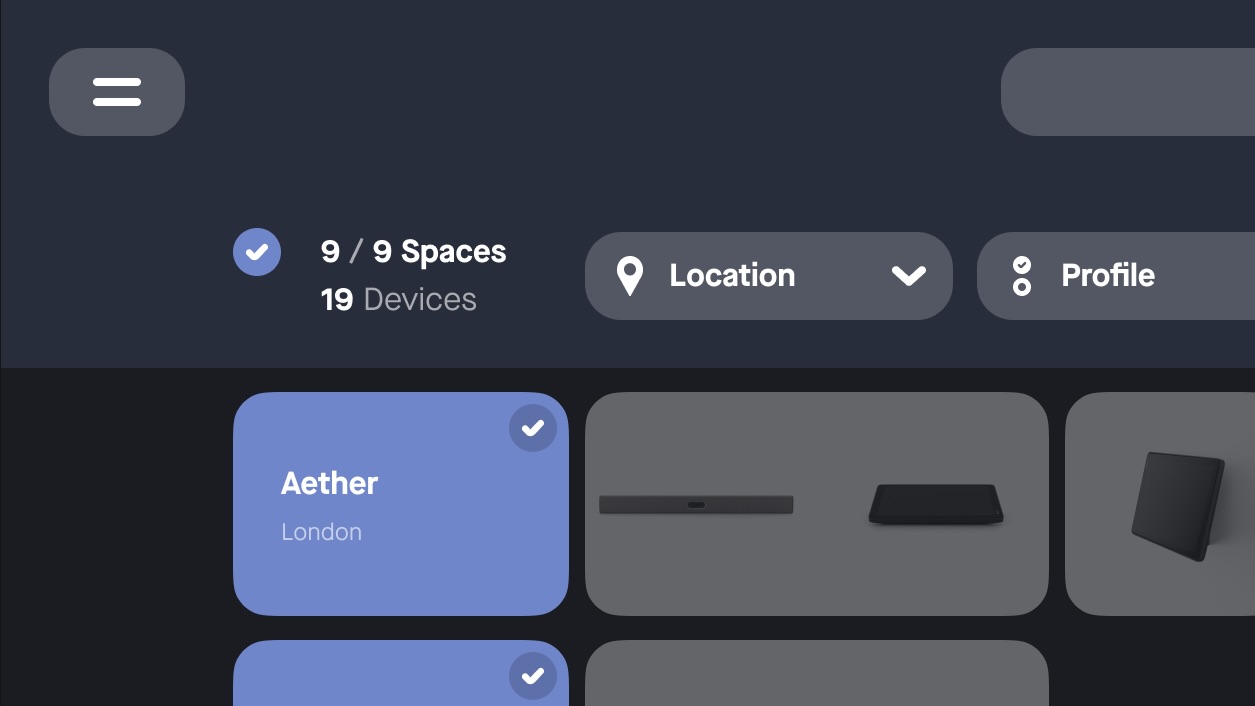
Where Bulk Actions can save you time
Bring new locations online. Assign or reassign a location to multiple spaces at once, whether you’re reorganizing an existing deployment or getting an entirely new building ready.
Keep settings consistent. Apply the same settings profile across multiple spaces rather than configuring rooms individually. If requirements change, you can update them together just as easily.
Prepare larger deployments. Export enrollment codes for every space you’re setting up, giving installers a ready-to-use list rather than generating codes individually.
Clean up your deployment. Remove duplicate, empty, or repurposed spaces together instead of working through them one by one. Just remember that removing a space permanently unenrolls every device within it, so always check your selection before confirming.
Available now in Neat Pulse
All Neat Pulse plans include Bulk Actions on Spaces, giving your organization a more efficient way to manage your Neat fleet.
For more details on using Bulk Actions on Spaces, visit our Neat Pulse support site.
And stay tuned for the next blog in our Neat Pulse series, where we’ll explore another feature that helps you get more from your Neat deployment.
Until then, experience Neat for yourself—join a live product tour or book a one-on-one demo to see what Neat could do for your spaces.






